
HyperFluxCMS
Fast. Flexible. Free.


HyperFluxCMS
HyperCode Components
Understand the ready-to-use HyperCode components
HyperCode has some ready-to-use blocks to facilitate the creation of pages and templates. See what they are and how to use them.

HyperFluxCMS has some special blocks for building the site. These blocks already have some standard display properties and the appropriate scripts for their operation, saving time for those creating the site design or writing the posts.
Tag [pagination]
The pagination Tag is used to display and navigate the list of pages on a search page or on the site's home page if it is configured as a "Dynamic Page".
The pagination Tag is usually used inside top-level templates; it is rarely used inside content pages.
The pagination tag is self-contained, meaning it DOES NOT NEED and MUST NOT be used in "open/close" pairs. It should be used simply as a single tag.
The pagination tag should only be used on pages that are listings of posts, such as the search page or the site's home page. On other pages its use does not make sense.
For the pagination tag to work, it is mandatory that the page on which it is displayed has ONE, and ONLY ONE, postlist (described below) with the property pagination="true".
For the pagination tag to be able to display page numbers, it is mandatory that the page's postlist has the property countpages="true". However this consumes server resources, making page access slower on sites with many thousands of pages.
Syntax:
[pagination type="xxxx"]

Properties
type - indicates a character string that indicates the characteristics of the pagination.
Optional properties
Like almost all HyperCode tags, pagination can take as optional properties id, class, and style. They are exactly the same as the HTML id, class, and style properties, including being compiled/rendered as such and can be accessed and manipulated by javascript.
Type
The character string described in type of pagination is a combination of zero or more of the following characters. They can be provided in either uppercase or lowercase, and do not need to follow a specific order. Each character, if part of the sequence, indicates a behavior or characteristic of the pagination.
- f - first: Always shows in the pagination a link to the first page of the site or listing or search.
- p - previous: Always shows in the pagination a link to the previous page of the listing
- n - next: Always shows in the pagination a link to the next page of the listing
- l - last: Always shows in the pagination a link to the last page of the listing
- # - numbers: Shows page numbers
- v - verbose: if specified, the links for "first", "previous", "next", and "last" are shown in text form, using the language configured by the site. If not provided, these links appear as << < > >>.
- a - autohide: only shows pagination if it is necessary. Otherwise - which is when the entire listing fits on a single page - the pagination is not shown.
- 1 through 9 - indicates the maximum number of previous and next pages in relation to the currently displayed page that should appear in the pagination. If not provided, it defaults to 4. For example, if you are on page 8 of the listing, the pagination displays up to 4 numbers before and 4 numbers after: numbers 4,5,6,7, then 8, then 9,10,11,12.
- 0 - indicates that it should show a large number of pages before and after the current page; the largest number supported by the current version of HyperFluxCMS, which in the current version is 100.
Example:
[pagination type="fpnl#3a"]
Generates a pagination object that has "<<", "<", a list of pages with up to 3 pages before and 3 pages after the one being displayed, ">" and ">>".
Tag [postlist]
The postlist Tag is used to display a list of posts that meet certain criteria. It can be used in several cases:
- Result of the site's search page;
- Dynamic home page showing featured posts;
- Side panels with a list of posts related to the post being read.
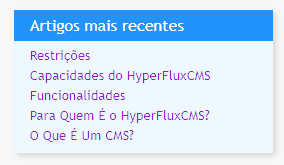
The postlist tag is self-contained, meaning it DOES NOT NEED and MUST NOT be used in "open/close" pairs. It should be used simply as a single tag.
Syntax:
[postlist
title="See Also"
title-class="title-class"
title-style="font-weight: bold;"
container-template="c-temp"
container-class="c-class"
container-style="color: blue;"
item-template="i-temp"
item-class="i-class"
item-style="color: gray;"
item-template="iiii"
min="1"
max="10"
count="10"
orderby="date"
reverse="true"
target="_blank"
category="world"
tag="politics"
pagination="true"
countpages="true"
select="?"
]
Properties
The only mandatory properties are container-template and item-template. Additionally, at least ONE of the selection criteria must be provided: category, tag, or select.
title - Provides text to be displayed in the listing title, if the template supports it.
title-class - Allows associating a class with the title, for fine adjustment of the text appearance.
title-style - Allows adjusting title properties using CSS styles, for fine adjustment of the text appearance.
container-template - Mandatory: - Indicates which template will be used as the container for the listing.
container-class - Allows associating a class with the container, for fine adjustment of appearance.
container-style - Allows adjusting container properties using CSS styles, for fine adjustment of the text appearance.
item-template - Mandatory: - Indicates which template will be used to describe each listed post.
item-class - Allows associating a class with the item, for fine adjustment of appearance.
item-style - Allows adjusting item properties using CSS styles, for fine adjustment of the text appearance.
min - indicates from which position in the search the posts will be listed. For example, in an alphabetical listing, if you want to discard the first 10 results and show from the 11th onward, min should be equal to 11.
max - indicates up to which position, at most, in the search the posts will be listed. For example, in an alphabetical listing, if you want to show only up to the 15th result, max should be equal to 15.
count - indicates how many posts, at most, will be listed.
orderby - indicates the order in which posts will be selected and displayed. See below.
reverse - if true, selection and display is done in DESCENDING order. For example, if ordering by creation date, the most recent will appear FIRST in the list. If false or omitted, the natural ascending order is assumed, showing the oldest first.
target - indicates in which window/tab the link will be opened. If omitted, the current window/tab is used.
category - indicates the category of posts that will be searched in the database
tag - indicates a tag by which posts will be searched in the database
pagination - if "true", indicates that the pagination tag, if present on the page, refers to THIS postlist. If false or omitted, it does not link the page's pagination object to this postlist. On a page (including templates and headers) there can only be ONE postlist with pagination="true" in a page.
countpages - if "true", indicates that HyperFluxCMS should count, in advance, how many pages meet the requirements, so that the pagination object can correctly display the numbers. If enabled, it will consume additional server resources and make page access slower. If not necessary, and a pagination without numbering is sufficient to meet the page's purposes, it is recommended to disable it and use a pagination without the # character.
select - indicates an additional post selection and search criterion. If "*", selection will be on pages that use the same category and/or tags as the current page. For example, in a newspaper, a postlist on a page with category "world" will list other posts in that category. Other values are experimental and reserved for future use.
OrderBy
The orderby property indicates the order in which posts will be searched in the database and displayed in the postlist. Valid values are as follows:
creationdate - by post creation date.
editiondate - by post's most recent edit date.
date - equivalent to creationdate
title - alphabetical order by title
score - by score order according to the HyperFluxCMS simple scoring algorithm.
random - random order
id - by insertion order in the database. Usually follows the same order as creationdate, but not necessarily.
If orderby is omitted, it defaults to random.
Tag [searchform]
The searchform Tag is used to insert a simplified search form on the site.
The searchform tag is self-contained, meaning it DOES NOT NEED and MUST NOT be used in "open/close" pairs. It should be used as a single tag.

Syntax:
[searchform type="small" placeholder="Search"]
Properties
type - Indicates the type of form to be displayed. Can be small or large. It can also be another type, if that other type is defined in one of the site's CSS style sheets.
Optional properties
placeholder - Indicates the text that should appear in the input field when the user has not typed anything.
width - indicates the width of the search form.
height - indicates the height of the search form.
Like almost all HyperCode tags, searchform can take as optional properties id, class, and style. They are exactly the same as the HTML id, class, and style properties, including being compiled/rendered as such and can be accessed and manipulated by javascript.
Tag [socialmediasharebuttons]
The socialmediasharebuttons Tag is used for a list of buttons to share the post on the most popular social networks.
The socialmediasharebuttons tag is self-contained, meaning it DOES NOT NEED and MUST NOT be used in "open/close" pairs. It should be used as a single tag.

Syntax:
[socialmediasharebuttons medias="facebook,instagram,x"]
Properties
medias - Provides a list of social networks, separated by commas. Currently supported by HyperFluxCMS are the networks x, facebook, instagram, whatsapp, linkedin, and bluesky. Others can be added via Javascript.
Optional properties
width - indicates the width of the search form.
height - indicates the height of the search form.
Like almost all HyperCode tags, socialmediasharebuttons can take as optional properties id, class, and style. They are exactly the same as the HTML id, class, and style properties, including being compiled/rendered as such and can be accessed and manipulated by javascript.