
HyperFluxCMS
Fast. Flexible. Free.


HyperFluxCMS
Using HyperLite
Decorate your posts using HyperLite
Understand the HyperLite language and see how to use it to format and decorate your posts.
Introduction
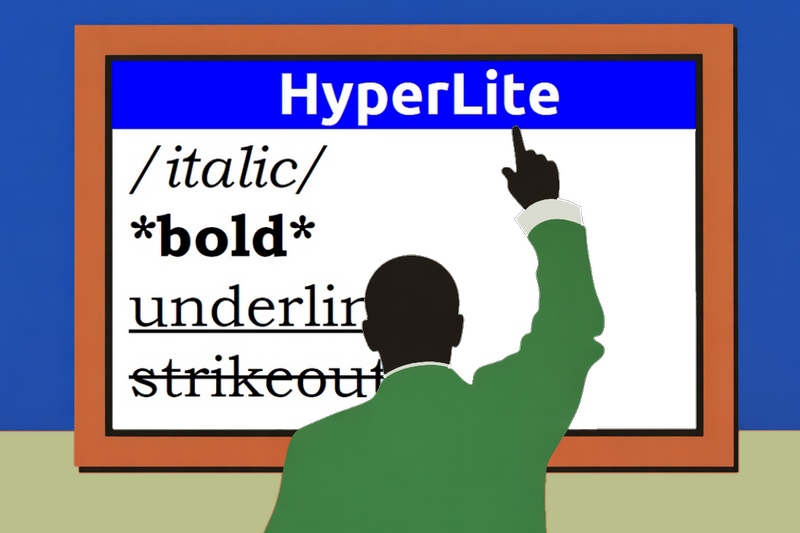
The HyperLite Language is the second original hypertext markup language recommended for posts written and published in HyperFluxCMS.
HyperLite is a language inspired by other traditional markup languages such as MarkDown, MediaWiki, and WhatsApp.
It was developed to be powerful, covering the needs of at least 80% of sites, while being simpler than HyperCode and much simpler than HTML.
Example of a page formatted with HyperLite
When installing HyperFluxCMS, some pages are automatically created on your site. One of these pages is called "HyperLite Demo" and contains examples of various HyperLite tags in action. Study this page and run experiments to better understand the page's behavior in response to the code.
If you have already deleted the page or do not have access to it, you can check it here:
and the source code here
HyperLite Demonstration Page Source Code
Accentuation, Automatic Line Breaks, and Symbols
These topics are covered in other parts of the documentation and are worth consulting to understand how HyperCode handles these matters.
Accentuation
Special Symbols
Special Symbols in HyperLite
Automatic Line Breaks in HTML
Avoiding Automatic Line Breaks
Syntax
HyperLite is based on inserting common symbols into the text, easily accessible via the keyboard such as *, /, ~, etc., to indicate to the processor/compiler that at that point an object is inserted or a block of text with a certain characteristic begins.
HyperLite can be used together with the other two languages supported by HyperFluxCMS: HyperCode and HTML, to complement text formatting or decoration with functionalities not covered by HyperLite.
HyperLite is extremely simple to use and has a clean syntax that, unlike HTML, does not visually pollute the text, making reading the original code almost as fluid as if it were plain text.
Markup
A markup begins with one of the special markup symbols, which will be listed later.
For example, an asterisk * indicates that the text from that point onward should be displayed in bold, until a bold end markup is found.
The END markup of a property is exactly the same as the start markup; a bold block, marked with *, ends and ceases to be bold when another * is found; an italic block, marked with /, ends and ceases to be italic when another / is found; and so on.
This is *bold* text.
is displayed as
This is bold text.
To facilitate text editing and avoid many Escape Sequences (see below), a markup character is NOT ALWAYS considered a markup character.
HyperLite was designed with the goal of minimizing the need for escape sequences, considering characters as common, literal characters in most situations where they would be found in real common text.
Block markup characters: *_~/^, are considered markup if they meet at least one of the following conditions:
to START a block:
- if not escaped; and
- if it is the first character of the text; or
- if it is the first character of the line; or
- if it is the first character after a space; or
- if it is the first character after another markup symbol; or
- if it is the first character after some symbols like (.
to END a block:
- if not escaped; and
- if it is the last character of the text; or
- if it is the last character of the line; or
- if it is the last character before a space or the symbols ,, ., :, ;, or ); or
- if it is the last character after another markup symbol; and
- if there is a respective block started.
Paragraph markup characters: ., ;, # are considered markup if they meet at least one of the following conditions:
- if not escaped; and
- if it is the first character of the text; or
- if it is the first character of the line;
In other conditions, the characters are considered literal characters that are displayed normally to the site visitor and do not alter the formatting or behavior of the page.
For example, the text Easter 2025 will be on 04/20/2025 is displayed normally as Easter 2025 will fall be 04/20/2025, because the / symbol in this case does not meet the requirements to be considered a markup symbol and is treated as a normal character.
Nesting of markup
Just like in HTML or HyperCode, a block with a certain formatting markup can contain, within it, a block with formatting markup, which, in turn, can contain a block with formatting markup.
For example:
/This text is in italics *and now also in bold _and now also underlined, _ but now it is no longer underlined, only in bold and italics,* and from here on it is only in italics/.
is valid code and is rendered as
This text is in italics and now also in bold and now also underlined, but now it is no longer underlined, only in bold and italics, and from here on it is only in italics.
The HyperLite specification requires that block closures always follow the reverse order of opening. The last to open must be the first to close.
In the example above, the sequence was:
- started italics
- started bold
- started underline
- ended underline
- ended bold
- ended italics.
Escape Sequences
One thing that deserves special attention from anyone editing a HyperFluxCMS page using HyperLite is that it uses a relatively large variety of characters, and for each one that appears in the text in a condition where it could be understood as a markup symbol, it will be necessary to perform an "escape sequence", inserting the backslash symbol \ immediately before it, so that the processor understands that it is part of the text, not the markup.
For example, the slash character /, which would normally indicate that the following text should be displayed in italics, but in this case should be displayed as a common slash, must be preceded by \, resulting in \/.
Example, in the text 1 * 2 * 3, which would be rendered as 1 2 3|
if we want the asterisks to be treated as simple asterisks, we must use escape sequences. Like this: 1 \* 2 \* 3
If it were 1*2*3 with no spaces before and after the asterisks, there is no need to escape, since their position in the text does not meet any of the requirements to be considered markup symbols.
Text Markup
The following symbols mark the beginning and end of a characteristic in text block formatting:
*: Asterisk indicates bold text:
This is *bold* text
is rendered as This is bold text
/: Common slash indicates text formatted as italic:
This is /italic/ text
is rendered as This is italic text
_: Underscore indicates text formatted as underlined:
This is _underlined_ text
is rendered as This is underlined text
~: Tilde indicates strikethrough text:
This is ~strikethrough~ text
is rendered as This is strikethrough text
^: Circumflex accent indicates highlighted text:
This is ^highlighted^ text
is rendered as This is highlighted text
|: Vertical bar indicates text formatted as code:
This is |Code| text
is rendered as This is Code text
Title and Subtitle Markup
The # character (hash) is used to indicate that the following text is a title or subtitle of a page section.
It only has markup value when it is the first character of a line or the page. In other situations, it is considered a normal character.
The number of consecutive # indicates the heading/title level of the page.
- Level 1 (with only 1 #) is the highest, where the title appears larger and with more emphasis.
- Level 2 (with only 2 #) is a subtitle, slightly lower than level 1 and appears smaller and with less emphasis.
- The logic continues up to level 6, which is the lowest value subtitle.
Example:
\#Menu
\##Pizzas
\###Traditional Pizzas
\###Special Pizzas
is rendered as
Menu
Pizzas
Traditional Pizzas
Special Pizzas
Note that, unlike block markup, title and subtitle markup has no closing. A line that starts with it considers the entire line content as a title and is delimited by the end of line.
Lists
HyperLite supports two types of lists: ordered and unordered.
Ordered lists are those that have a sequential number for each item. For example, the steps-by-step to make a cake, which must follow an order.
An unordered list typically has "bullets" and indicates items that have no defined order, such as a shopping list.
An unordered list is created in HyperLite with a series of consecutive lines starting with a dot ..
Example:
Buy:
.Bread
.Milk
.Cheese
.Oil
which is rendered as
Buy:
- Bread
- Milk
- Cheese
- Oil
An ordered list is created in HyperLite with a series of consecutive lines starting with a semicolon ;.
How to prepare instant noodles:
;put two cups of water in a pan;
;bring to a boil and wait for it to boil;
;add the noodles from the package;
;wait for 3 minutes;
;remove from heat;
;add the content of the seasoning packet;
;stir well and serve hot.
which is rendered like this:
How to prepare instant noodles:
- put two cups of water in a pan;
- bring to a boil and wait for it to boil;
- add the noodles from the package;
- wait for 3 minutes;
- remove from heat;
- add the content of the seasoning packet;
- stir well and serve hot.
Note that you do not need and should not put numbers in front of the items. The system inserts the numbers automatically.
The characters . and ; only have markup value when they are the first character of a line or the page. In other situations, they are considered normal characters.
Links
To insert a link in HyperLite, use the at sign @; the letter "L" uppercase or lowercase; the symbol ":"; and the absolute or relative URL of the link; all without spaces or line breaks. After finishing the URL, there must be a space, line break, or other separator.
A link can be an email address, a page within the site itself, a file for download, or an external page or site.
The URL can explicitly include the scheme (http, https, or mailto) or, if omitted, HyperFluxCMS infers it based on the link.
- Links that look like email, in the format "anything @ some-site" are presumed to be emails and are treated as "mailto:"
- Other links are presumed to be "https://"
Examples:
@l:johndoe@nowhere.com
Because of the "@", it presumes it is an email address and creates a link to send an email to "johndoe@nowhere.com"
@l:mailto:marydoe@nowhere.com
Because of the explicit "mailto:", it assumes without doubt that it is an email address and creates a link to send an email to "marydoe@nowhere.com"
@l:hyperfluxcms.com
Since there is no scheme or an "@", it presumes it is an HTTPS address and creates a link to the url "https://hyperfluxcms.com".
@l:http://hyperfluxcms.com
Since the HTTP protocol was explicitly provided, it creates a link to the url "http://hyperfluxcms.com".
@l:https://hyperfluxcms.com
Since the HTTPS protocol was explicitly provided, it creates a link to the url "https://hyperfluxcms.com".
Images
To insert an image in HyperLite, use the at sign @; the letter "i" uppercase or lowercase; the symbol ":"; and the absolute or relative URL of the image.
Optionally, you can include additional parameters to generate thumbnails of the images.
You can also specify the display size of the image on the page.
All without spaces or line breaks. After finishing the URL, there must be a space, line break, or other separator.
Thus, the text
@i:logo.png
inserts the image called "logo.png" from the site gallery at the indicated location.
By default, the inserted image is rendered at the pixel size of the image file itself. For example, an image whose file is 800 x 400 pixels will be inserted at that size on the page (it may be scaled up or down depending on the device and browser used).
It is possible to specify the desired width of the image using the vertical bar character | after the file name (no spaces) and the desired dimension; the same for height using another vertical bar | and dimension.
You can use any of the valid measurement units for element sizes in HTML: px (pixels), pt (points), % (percentage), etc.
If both measurements are provided (which can even be in different units), the image will be displayed according to the provided values. If the values are not exactly equal to the actual image size, it will be stretched or shrunk to occupy the specified space.
If the provided measurements are not 100% proportional to the actual dimensions of the image, it will be distorted, stretched, or compressed, losing proportion. This is not exclusive to HyperLite, but rather a predictable and desirable characteristic of HTML and browsers.
If only ONE of the dimensions (width OR height) is specified, the image will be displayed with the provided width or height and the other unspecified dimension will be automatically calculated to maintain the image's proportion.
Examples:
@i:logo.png
Dimensions not provided. Shows the logo.png image at its original size
@i:logo.png|400px|300px
Width and height provided. Shows the logo.png image at 400 x 300 pixels, stretching or compressing the image if necessary.
@i:logo.png|100%|300px
Width and height provided. Shows the logo.png image at 100% of the width of the image's parent element and 300 pixels in height, distorting and stretching the image if necessary.
@i:logo.png|400pt
Only width provided. Shows the logo.png image with a width of 400pt and height automatically calculated to maintain proportion without distortion.
@i:logo.png||300pt
Blank width and height provided. Shows the logo.png image with a height of 300pt and width automatically calculated to maintain proportion without distortion.
It is possible to use Automatic Thumbnails. See more at Thumbnails.
Example:
@i:logo.png:200.200.fit
Anchors
To insert an anchor in a post using HyperLite, use @; the letter "a" uppercase or lowercase; the symbol ":"; and the anchor id.
For example, @a:history creates an anchor with Id "history" at that location.
To understand anchors, see Anchors in Hypercode
Conclusion
These are text markups using HyperLite. It is possible to create titles, subtitles, insert links and images, create lists, and format text in various attributes such as italic, bold, highlighted, etc.
Using HyperLite does not overload the code with complicated, hard-to-understand tags, does not require memorizing tag names, keeps the syntax simple, compact, and does not hinder reading the text within the code.
Even so, HyperLite is sufficient for at least 80% of cases. But in cases where HyperLite markup elements are not sufficient, it is possible to use HyperCode Tags or even HTML.
Remember that HyperFluxCMS allows you to use two or even all three markup languages simultaneously on the same page. This way you can keep your code Clean, Light, and Readable.
See also:
Using HTML in HyperFluxCMS
Using HyperCode in HyperFluxCMS