
HyperFluxCMS
Fast. Flexible. Free.


HyperFluxCMS
Get started to HyperCode
Using HyperCode int your posts
Understand the HyperCode language and see how to use it to format and decorate your posts.
Introduction
The HyperCode Language is the main original hypertext markup language recommended for posts written and published in HyperFluxCMS.
It was developed to be powerful, covering the needs of at least 95% of sites, while being much simpler and more compact than HTML.
HyperCode is a language inspired by other traditional markup languages such as BBCode and HTML.
Hypercode is based on "TAGs".
TAGs are expressions enclosed in square brackets [ ].
The Tag name must be provided immediately after opening the bracket. Examples: [center], [audio], and [pagination].
HyperFluxCMS does not differentiate between uppercase and lowercase letters in tag names. [img], [Img], and [IMG] have the same effect.
Properties
A TAG must have the tag name, which represents its function. Following that, there is the list of Properties. Each Tag has its own list of Properties.
Some Properties are mandatory, others are optional. For example, the [img] Tag inserts an image into the text, and has as a mandatory property the filename or URL of the image to be inserted, while it has optional properties such as the size at which the image will be displayed.
Properties must be provided in the format property-name="property-value".
Property names must be provided without quotes. The property value must be provided in quotes.
If there is more than one property to be provided, they must be separated by space or line break.
Example: To insert the image named "thumbnail-sample.jpg" at 240 x 135 pixels, use
[img src="thumbnail-sample.jpg" width="240px" height="135px"]
Which results in

The list of mandatory and optional properties for each tag is described on the page referring to each tag. At the end of this page there are links to the list of tags, in alphabetical order and by function.
Like tag names, HyperCode accepts that property names can be provided in lowercase, uppercase, or a mix. "URL", "url", and "Url" have the same effect.
For values, there may be a difference depending on the property.
For example, for the "color" property with value "red", there is no difference between "red", "Red", or "RED".
But for the "src" property there is a difference when dealing with a file hosted on a Linux environment (which differentiates between uppercase and lowercase files), "https://website/image.jpg" is different from "https://website/IMAGE.JPG".
Anonymous Properties
Some tags have Anonymous Properties. Anonymous Properties are those that are so obvious as the main function of a tag that the property name can even be omitted, as long as it is provided immediately after the tag name, using the = symbol.
For example, in the [img] tag, it is so obvious that the most important property is the image URL (the "src" property), that the "src" property can be omitted, if provided right after the Tag name.
Thus, [img src="sample.jpg"] can be simplified as [img="sample.jpg"]. And [link url="https://hyperfluxcms.com"] can be replaced by [link="https://hyperfluxcms.com"].
Compound Tags
Most HyperCode Tags are compound, used in pairs. They consist of an "opening" Tag, which indicates where the Tag's effect begins in the text, and the "Closing" Tag, which indicates where the Tag stops taking effect.
The opening Tag starts with the tag name in brackets [tag]. The closing tag is the same tag name, but the tag name is preceded by /, as in [/tag]. This is very similar to HTML and BBCode syntax.
For example, to mark a piece of text in bold, use [b] This text is in bold [/b] and now it is not anymore.
As in XHTML and HyperLite, the HyperCode language REQUIRES that closing occurs in the reverse order of opening. The last Tags that were opened must be the next ones to be closed, and vice versa.
For example:
This is a text [b]that is now in bold [i]and is now in italic [u]and now underlined[/u] but is no longer underlined[/i] nor in italic[/i] and is no longer in bold either.
This is a text that is now in bold and is now in italic and now underlined but is no longer underlined nor in italic and is no longer in bold either.
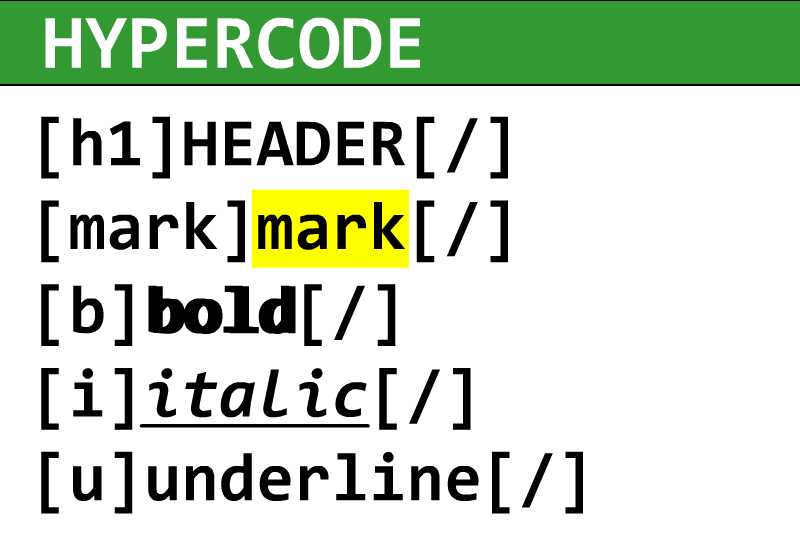
Examples of compound Tags are text formatting tags such as italic [i], bold [b], underline [u], headings [h1],[h2],[h3]..., tables [table] [tr] [th] [td], etc.
Simple or Self-Contained Tags
Some Tags are not formed by Open-Close pairs. Some, such as those representing images or lines, are used in isolation.
These Tags should simply be inserted in the appropriate place in the text. For example, to insert an image:
[img src="web.jpg"]
And to insert a horizontal line in the text
[line]
Examples of Simple or Self-Contained Tags are those for images, audio, video, blank lines, indexes, pagination, Templates, search forms, and sets of social media buttons.
Anonymous Closing Tags
The syntax of compound tags can be simplified. In the CLOSING tag, the tag name can be omitted, using simply [/], which we call an "Anonymous Closing Tag".
When compiling a page and encountering an anonymous closing tag, HyperFluxCMS automatically associates it with the most recently opened Tag.
For example, a piece of text that is marked with the [style] tag can be closed simply with [/].
Example:
Regular text [b]in bold [b.yellow]with yellow background [red]and red letters[/] now regular letters [/] now regular background[/] now not bold anymore.
Regular text in bold with yellow background and red letters now regular letters now regular background now not bold anymore.
See also:
Using HTML in HyperFluxCMS
Using HyperCode in HyperFluxCMS
HyperCode Tags Reference Guide
HyperCode Tags - Alphabetical Order