
HyperFluxCMS
Fast. Flexible. Free.


HyperFluxCMS
Text Formatting Text
HyperCode Tags to format and decorate text
See the complete list of HyperCode Tags for text formatting. These tags can format a small text snippet within a line, paragraph, or table cell.
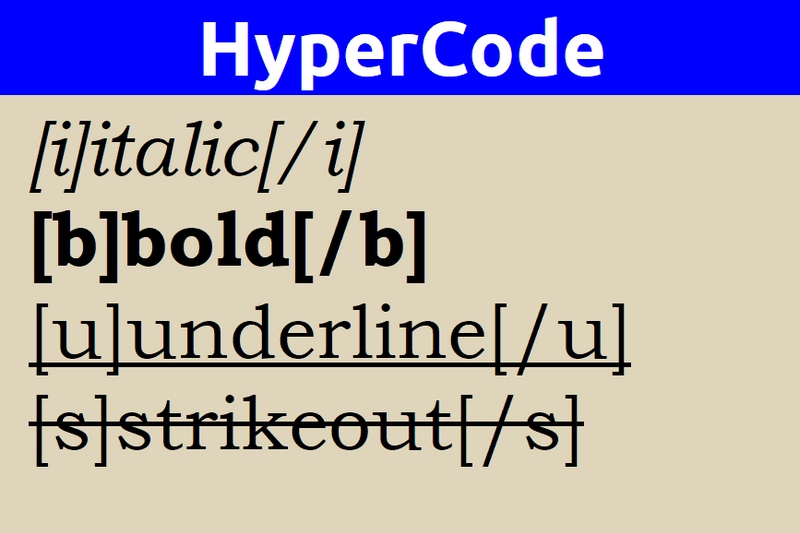
About All Text Formatting Tags
Although they can be used to format small text snippets within a paragraph, they are not limited to that. With the exception of the style tag, they CAN be used to format entire paragraphs and even a block with multiple paragraphs.
Like most HyperCode Tags, the following tags optionally accept the properties class, style, and id. See Class, Style, id
Tag [i]: italic
Makes the following text displayed in italics.
Example:
This is an [i]example[/]
This is an example
Tag [b]: bold
Makes the following text displayed in bold.
Example:
This is an [b]example[/]
This is an example
Tag [u]: underline
Makes the following text displayed underlined.
Example:
This is an [u]example[/]
This is an example
Tag [s]: strikethrough
Makes the following text displayed with a strikethrough.
Example:
This is an [s]example[/]
This is an example
Tag [k]: keyboard
Makes the following text displayed in monospaced format and highlighted especially for showing code.
Example:
This is an [k]example[/]
This is an example
Tag [del]: deleted
Makes the following text marked as deleted.
Example:
This is an [del]example[/]
This is an example
Tag [ins]: inserted
Makes the following text marked as inserted.
Example:
This is an [ins]example[/]
This is an example
Tag [mark]: highlighted
Makes the following text displayed highlighted.
Example:
This is an [mark]example[/]
This is an example
Tag [monospace]: monospaced
Makes the following text displayed in a monospaced font.
Example:
This is an [monospace]example[/]
This is an example
Tag [sup]: superscript
Makes the following text displayed as superscript, like in "m2"
Example:
This is an [sup]example[/]
This is an example
Tag [sub]: subscript
Makes the following text displayed as subscript, like in "H2O"
Example:
This is an [sub]example[/]
This is an example
Tag [xlarge]: extra large font size
Makes the following text displayed in a font much larger than the standard.
Example:
This is an [xlarge]example[/]
This is an example
Tag [large]: large font size
Makes the following text displayed in a font larger than the standard.
Example:
This is an [large]example[/]
This is an example
Tag [medium]: medium font size
Makes the following text displayed in the standard font size for most applications.
Example:
This is an [medium]example[/]
This is an example
Tag [small]: small font size
Makes the following text displayed in a font smaller than the standard.
Example:
This is an [small]example[/]
This is an example
Tag [xsmall]: extra small font size
Makes the following text displayed in a font much smaller than the standard.
Example:
This is an [xsmall]example[/]
This is an example
Tag [style]: complex style
Makes the following text displayed in a style or combination of styles specified in the "style" property, which must be a string containing a valid CSS statement.
It is exactly the same as specifying CSS in an HTML element for the following text snippet.
Syntax:
[style style="xxxx"]Styled block[/style]
Properties
style contains a valid CSS statement.
Anonymous property
The style property can be omitted and the style value can be provided directly after the tag name.
Additional properties
Like most HyperCode Tags, style optionally accepts the properties class and id. The style property would be redundant. See Class, Style, id
Example:
This is an [style="color:blue; border-radius: 2px; box-shadow: 5px 5px 10px silver;"]example[/]
This is an example