
HyperFluxCMS
Fast. Flexible. Free.


HyperFluxCMS
Emojis
Inserting emojis in your posts
You can decorate your text by inserting emojis. Learn how to do this. Learn how to use composite emojis, such as those with skin tones. Understand the limitations.
Introduction
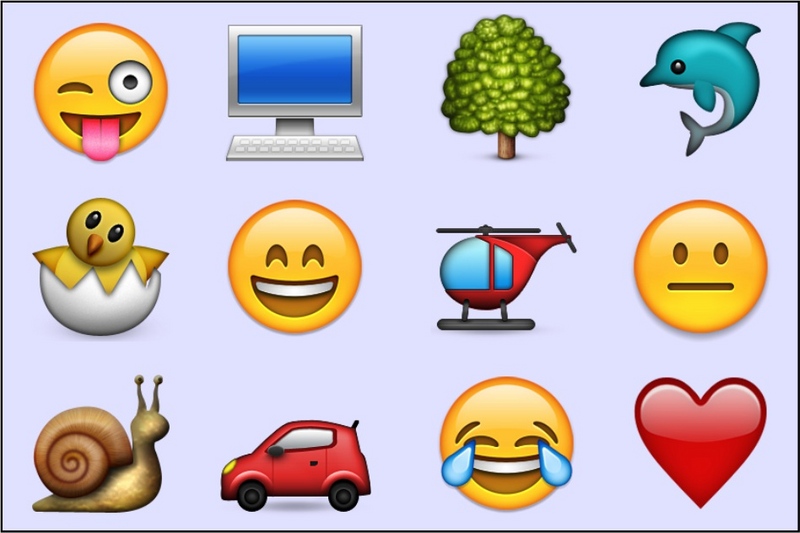
Emojis are small icons that can be inserted into text and are standardized by the UNICODE.ORG consortium and the standards are adopted by various operating systems, browsers, email applications, text editors, messaging applications, and many more.
There are advantages and disadvantages to using emojis in posts on HyperFluxCMS.
Advantages:
- You don't need to create and upload images;
- Emojis can be inserted in the middle of text more fluidly than images;
- Emojis are usually automatically scaled proportionally to the size of the text in which they are inserted;
- The visitor's browser does not need to download images for the icons;
- Because they are standardized, most visitors are already accustomed to the icons and their meanings.
Disadvantages
- Your post is limited to standardized emojis;
- Emojis are not animated "GIFs", they are static and without movement;
- Not all browsers and fonts support all emojis; some emojis may not appear or may appear differently than expected;
- The appearance of emojis may vary slightly depending on the browser and operating system. For example, the red heart emoji will always be a red heart, but it will be slightly different on Windows with Chrome, on Android, on an iPhone with Safari, etc.
If you weigh the pros and cons of using emojis and decide to use them, follow the instructions below to understand how to use them.
How to use
Emojis are mapped as Unicode characters.
To insert an emoji in your post, you must follow exactly the same steps as inserting ASCII and Unicode Special Characters.
Likewise, you can use the decimal or hexadecimal codes of the emojis.
For example, to get the "rolling on the floor laughing" emoji, whose Unicode code is "U+1F923", use @x:1F923, which appears in the browser like this => 🤣.
To insert the simple "orange heart", whose unicode code is U+1F9E1, use @x:1F9E1, which results in => 🧡
The size of the emoji is proportional to the current font size. If you want an emoji of a different size, you must change the font size beforehand, using HTML, style, or the xsmall, small, medium, large, or xlarge tags.
[xlarge]@x:1F601[/] produces this: 😁
Composite/Modifier Emojis
Some emojis are composed of more than one Unicode character.
An example is flags. For example, the flag of Brazil is formed by the combination of two unicode characters (U+1F1E7 and U+1F1F7), which must be inserted in sequence, with no other character between them, not even a blank space.
As shown in ASCII and Unicode Special Characters, you can provide a sequence of unicode characters using a single @x: markup. In the case of the Brazilian Flag, it would be @x:1F1E7+1F1F7, which should display the desired flag.
As previously mentioned, not all browsers, fonts, and operating systems support the entire set of emojis. They are even more limited when it comes to composite emojis.
It is very likely that the above combination, instead of showing the Brazilian flag, will only show the letters "BR". This is what happens, for example, in Google Chrome on Windows 10.
This is common behavior and there is no simple way to work around it. Over time, as operating systems and browsers are updated, the trend is that more and more emojis will be supported and displayed correctly.
One way to increase the chance that the emoji renders correctly is to force the snippet that uses it to use a specific font, such as Segoe UI Emoji. But this requires some knowledge of HTML and CSS and may make access to your page a little slower. The most recommended thing is to stick to the most common and popular emojis. There are over a thousand of them, and you will probably be able to express yourself well with the original emojis.
Flags are an example of an emoji with 2 characters. There are several other composite emojis. Some may use 2, 3, 5, 7 unicode characters, to obtain very specific emojis, such as "woman in wheelchair, medium skin tone, facing right". Or even "handshake, right hand with light skin tone and left hand with medium-dark skin tone".
The more specific the emoji, the greater the chance that it will not be rendered correctly.
Skin Tone Modifiers
A characteristic of Emojis is that they are designed to represent faces, gestures, professions, bodies, human expressions in different skin tones.
By default, emojis such as smiles, laughter, faces, human bodies, hands, gestures, professions, etc. use neutral colors. Typically a shade between yellow and orange, but the unicode standard allows other neutral colors, such as gray.
However, the standard allows - BUT DOES NOT REQUIRE - that browsers, text editors, messaging applications, etc., support skin tones.
There are five skin tones:
- Light
- Light-medium
- Medium
- Medium-dark
- Dark
Skin tones can be used as separate symbols.
| Light tone: | @x:1F3FB | 🏻 |
| Light-medium tone: | @x:1F3FC | 🏼 |
| Medium tone: | @x:1F3FD | 🏽 |
| Medium-dark tone: | @x:1F3FE | 🏾 |
| Dark tone: | @x:1F3FF | 🏿 |
To specify the skin tone in an emoji, use the character (or the sequence of characters) that represents the emoji and immediately afterwards - with no character, space, or separator - an emoji MODIFIER, which represents one of the five skin tones.
For example, the "thumbs up" emoji (Unicode code U+1F44D) in neutral color is represented by @x:1F44D. To use the light skin tone, you must concatenate the code U+1F44D and the light color code U+1F3FB. To use the medium-dark skin tone, use the code U+1F44D and immediately afterwards U+1F3FE.
If the browser supports unicode with skin tones for that specific emoji, it will be displayed in the desired color. If it does not support it, it will be displayed in the neutral color and then the icon in the desired color, which also allows the reader to understand that the author's intention was to specify the color.
In HyperFluxCMS, this is done by concatenating Unicode characters in the same way as other Unicode characters and emojis. Returning to the example of the "thumbs up" emoji with light skin tone and then medium-dark, you should use @x:1F44D+1F3FB , which, if supported by the browser, appears as 👍🏻. If the browser does not support this emoji with skin tones, it will show 👍 🏻 .
For the same emoji with medium-dark skin tone, use @x:1F44D+1F3FE , which, if supported by the browser, appears as 👍🏾. If the browser does not support this emoji with skin tones, it will show 👍 🏾 .
Other Modifiers
In addition to skin color, there are other combinations of modifiers that can produce specialized emojis.
For example, the "person walking" emoji, which by default is facing left, if concatenated with the character U+27A1, which represents a "right arrow", modifies the emoji so that the walking person is facing right, if the browser supports the emoji. If it does not support it, it will display the default person walking emoji facing left followed by the right arrow.
Limitations
As already explained, emojis depend on the browser and operating system to be rendered correctly.
Emojis are rendered with small differences between one operating system and another, between one browser and another. A "penguin" emoji, for example, will always be a penguin, but depending on the browser it could be a black or blue penguin, wearing a little hat or not, etc.
The more specialized the emoji, such as those for professions, those with skin tones, etc., the greater the chance that it will not be supported in all browsers.
These modifications and combinations of Unicode characters to create specialized emojis ARE NOT a peculiarity of HyperFluxCMS. They are a standard determined by the Unicode Consortium and implemented by browsers. HyperFluxCMS only offers, through the @x: sequence, the means of introducing these characters and sequences of characters. The choice and use is up to the author of the posts. Their correct display is up to the browser used by the site's visitors.
The subject is too extensive to be explained in detail here, and it is not our objective. The objective of this article is only to present a brief introduction to the topic. For those who want to delve deeper into the subject,there is ample documentation available on other websites on the internet. Artificial Intelligence sites like DeepSeek or ChatGPT can help answer any remaining questions.
The complete and always up-to-date list of emojis can be found directly on the Unicode Consortium website at
https://unicode.org/emoji/charts/full-emoji-list.html.
The complete list of emojis with modifiers can be found directly on the Unicode Consortium website at
https://unicode.org/emoji/charts/full-emoji-modifiers.html.