
HyperFluxCMS
Fast. Flexible. Free.


HyperFluxCMS
The user Admin
The first and main system User
When installing HyperFluxCMS, a system user is created and registered. Understand what it is for and how to use it to start configuring your site.

Users
HyperFluxCMS is multi-user. If you are responsible for the site, you can create users to create and edit posts and the site design. You can define each user's permissions. For example, you can create a user who has the permission to change the site's appearance and configuration, three users with the permission to publish posts and edit only their own publications, and a user who, in addition to being able to publish their posts, also has the permission to edit and delete posts published by other users.
Right after installing HyperFluxCMS, a user is automatically created. It has the name admin and is the main user, with the permission to manage other users, in addition to creating their own publications and editing and deleting publications from other users.
The password for the admin user is displayed on the HyperFluxCMS installation page. Write down this password and username on a piece of paper or copy them to some other file or document and keep it safe.
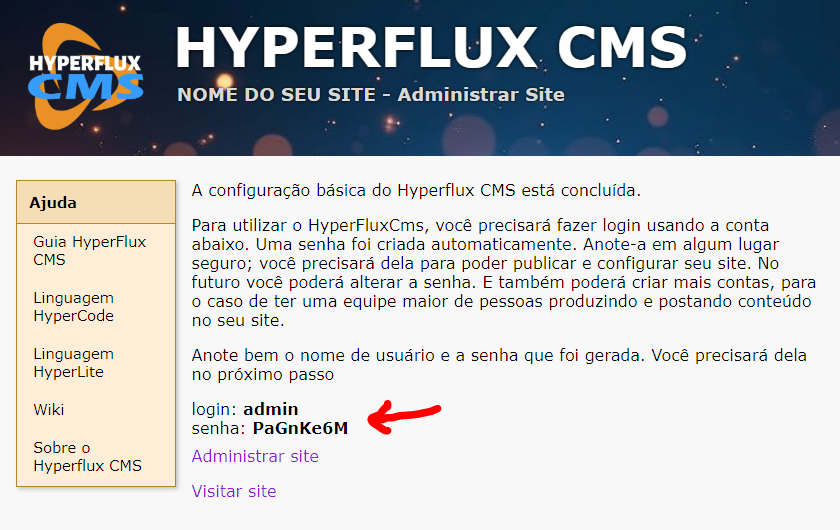
You can change the password later, but it is important to note the initial password. You will need it to be able to change the password.
With the admin user, you will have enough permissions to configure the site, change themes, and make publications. But we recommend that you create a new user, and leave the "admin" user reserved for when you really need it. For example, if you forget the password of some user, the "admin" user can be used for that. If the "admin" user is lost due to a forgotten password, it will be much more difficult to recover the settings and posts already published on the site.